What to Know Before Choosing Server & Network Installation Services
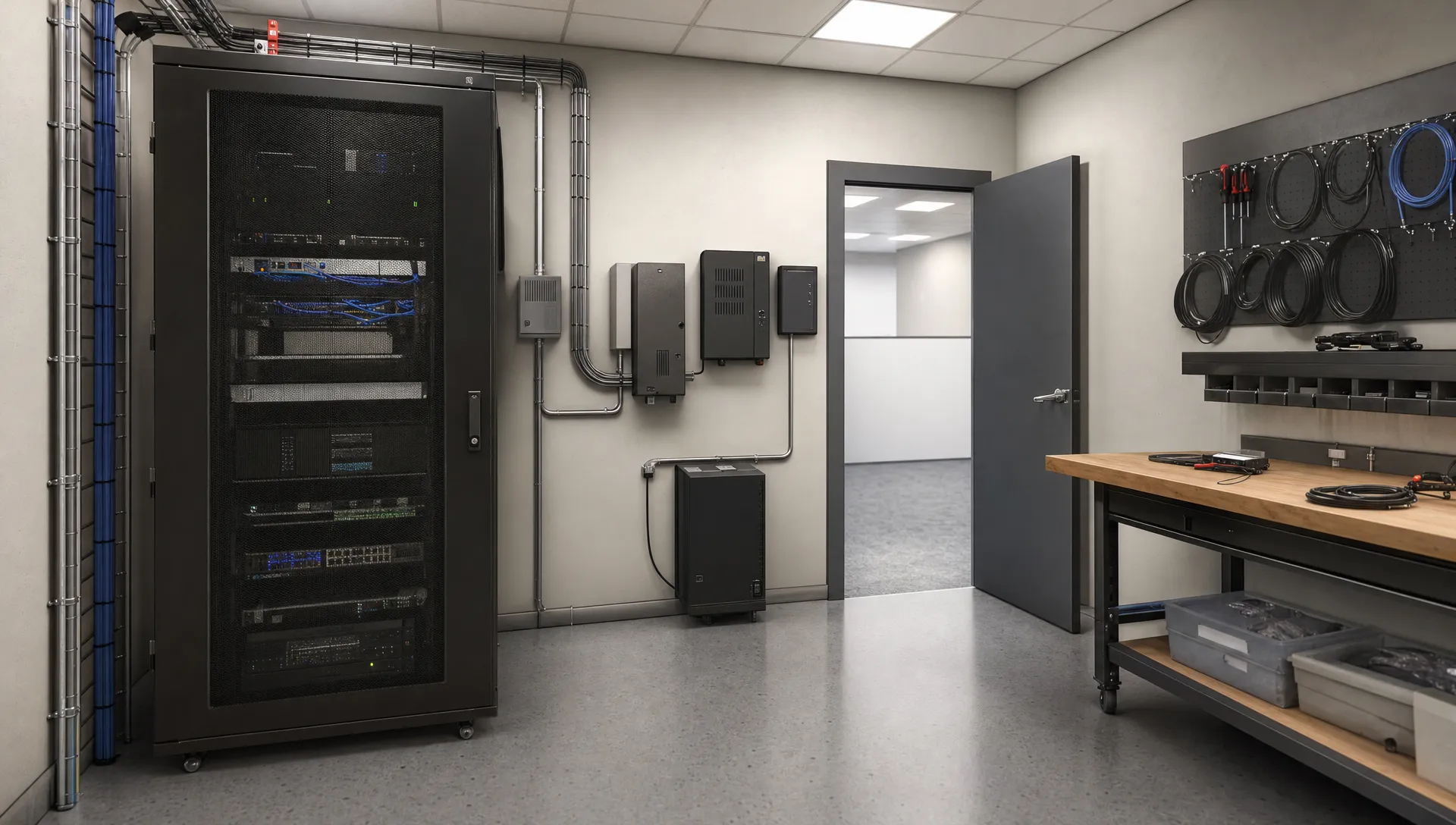
Choosing server & network installation services is a business decision, not just an equipment purchase. The right project should help employees work reliably, protect company information and support your plans for growth. Before approving a proposal, you need to understand what will change, what the installation includes and who will be responsible afterward.
A successful installation starts with a clear scope and ends with documented testing. This guide explains how to compare proposals, prepare for the transition and avoid gaps that can create unexpected costs or downtime.
Start with the business outcome
Tell prospective providers what your business needs to accomplish before discussing specific hardware. Are you moving offices, replacing aging equipment, adding employees or addressing unreliable connections? Each situation calls for a different approach.
Describe which activities cannot stop during business hours. An accounting firm may depend on shared financial applications. A manufacturer may need dependable connections between office systems and production equipment. These requirements should influence the design and installation schedule.
Also explain what you expect to change over the next few years. Include additional locations, larger files, remote employees or new business applications. Ask the provider to distinguish capacity you need now from upgrades you can reasonably postpone.
You do not necessarily need a new physical server. If that decision is still open, understanding cloud and local server options can help you clarify the project before requesting equipment quotes.
What should server & network installation services include?
A proposal should explain the work being performed, not simply list equipment models. A server can be installed correctly while employees still cannot access their applications. Similarly, new wireless equipment may not solve coverage problems if placement was never assessed.
Ask for a written scope covering the relevant parts of your project:
- Assessment and design. Review existing systems, application requirements, building conditions and the proposed layout.
- Equipment and configuration. Identify servers, firewalls, network switches, wireless access points and any equipment that will be reused.
- Migration and connections. Explain how files, applications, user access, printers and other business devices will move or reconnect.
- Security and recovery. Specify access controls, protective settings, backup responsibilities and recovery testing.
- Testing and handoff. Define acceptance checks, documentation, employee instructions and responsibility for remaining issues.
Not every installation requires every item. The important point is that exclusions are explicit. Cabling, electrical work, internet service changes or coordination with an application vendor may sit outside the installer's scope.
Ask who handles each excluded dependency and when it must be completed. Otherwise, you can end up with new equipment ready to install but no suitable power, connection or vendor availability.
Require a site assessment before approving the design
For server & network installation services, the physical location matters as much as the equipment specifications. A design based only on employee count can miss obstacles that affect reliability and installation costs.
The assessment should examine the proposed equipment location, available power, ventilation, cable routes and physical access. Servers and networking equipment need an appropriate environment, not an unsecured storage closet where boxes can block airflow.
Wireless planning should account for the building layout and how people actually work. Concrete walls, warehouse shelving and production equipment can affect coverage. Ask how the provider will evaluate the areas where employees use wireless devices rather than assuming one centrally placed access point will be sufficient.
For an office move, confirm building access, landlord requirements and the status of the internet connection. Any necessary electrical changes should be assigned to appropriately qualified professionals.
An initial budget estimate can be useful before a visit. However, ask which assumptions remain unverified and what could change the final price. That gives you a more realistic basis for approval than treating an early estimate as a complete installation plan.
Include security and recovery in the original scope
Security should be part of the design, not something added after employees start using the system. Ask how the provider will protect administrator access, configure the firewall and limit access to company files.
A proposal for server & network installation services should also explain which devices and users can communicate with each other. Guest wireless access should be separated from business systems. Depending on your environment, cameras, building controls or production devices may need separate network areas as well.
Ask how remote access will be secured and where multifactor authentication is supported. Installation should not leave unnecessary services accessible from the internet or retain default administrator credentials.
Backups deserve equally specific attention. Identify what will be protected, how often copies will be made and how those copies will be protected from unauthorized changes. Agree on how much recent work the business could afford to lose and how long it could operate without a critical system.
A completed backup is not proof that recovery will work. Ask for an appropriate restore test that does not put live operations at risk. If your recovery requirements are unclear, use these considerations for choosing business backup solutions before finalizing the installation scope.
Compare the complete cost, not just the equipment price
Two proposals can look similar while covering very different work. One may include migration, testing and documentation. Another may cover equipment delivery and basic configuration only.
When comparing server & network installation services, separate the initial project cost from expenses that continue afterward. Hardware, installation labor and cabling are different from software subscriptions, security licensing, backup storage and ongoing support.
Ask whether the quote includes configuration, data transfer, work outside business hours and assistance from application vendors. Clarify taxes, travel charges, disposal of retired equipment and how additional work will be approved.
Existing equipment should not automatically be replaced or retained. Ask the provider to explain whether it remains supported, has sufficient capacity and fits the proposed design. Reusing unsuitable hardware can create problems, but replacing serviceable equipment without a reason wastes budget.
Request a written process for changes to the scope. If unexpected conditions arise, you should receive an explanation and approve the cost before additional work proceeds.

Agree on the changeover and rollback plan
The changeover is the point when employees stop using the old setup and begin using the new one. Your provider should explain which services will be unavailable, the expected interruption window and any uncertainty around that estimate.
For server & network installation services involving existing systems, ask for a written transition plan before scheduling the work. It should identify prerequisites, the order of activities, responsible people and the checks required before employees resume normal work.
For example, a legal office moving shared files should verify access permissions and critical document workflows before staff return. Completing the file transfer alone does not establish that the office can operate normally.
The plan should also include a rollback decision. If an essential application fails testing, who decides whether to continue troubleshooting or return to the previous setup? What must remain available to make that return possible?
Avoid retiring the old environment before the new one passes agreed checks, unless there is a documented reason and an alternative recovery path. Share the schedule with staff and designate one business contact who can resolve operational questions during the transition.
Define success through business acceptance tests
Ask the provider to write down how you will determine that the installation is complete. Equipment powering on is only the beginning. The project should demonstrate that employees can perform the work your business depends on.
Useful checks include opening critical applications, accessing shared files with the correct permissions, printing necessary documents and connecting from normal work areas. Where relevant, test remote access, internet calling and connections to specialized business equipment.
Acceptance testing for server & network installation services should include security and recovery checks, not just employee convenience. Confirm that guest devices cannot reach internal resources, administrator access is controlled and the agreed backup restore test has been completed.
Choose a small group of employees who understand your essential workflows to help validate results. Their role is to test business tasks, not troubleshoot technical settings.
Record unresolved issues and distinguish between problems that block acceptance and minor items with an agreed completion date. This avoids an informal handoff where everyone assumes someone else is addressing the remaining work.
Confirm ownership and support after installation
Before signing, establish what documentation your business will receive. Useful records include an equipment inventory, network layout, licensing details, warranty information and backup responsibilities.
Your organization should retain control of its accounts and licenses, with appropriate access delegated to the provider. Administrator credentials need a secure transfer and storage process, not an ordinary email containing every password.
Ask who handles problems immediately after installation and what happens later. Clarify any included correction period, the support contact and whether monitoring, updates and maintenance require a separate agreement.
The handoff for server & network installation services should make those responsibilities clear. Project completion does not automatically include ongoing management, and a manufacturer warranty is not a substitute for operational support.
If you have an internal IT employee or another vendor involved, assign responsibilities in writing. Someone needs to own maintenance, account changes, backup reviews and future capacity planning after the installation team leaves.
Frequently asked questions
How long does a server and network installation take? Timing depends on the scope, equipment availability, building readiness and migration requirements. Ask for separate estimates for project preparation, installation and business downtime. A project lasting several weeks does not necessarily mean employees will be offline for that entire period.
Can we keep using some of our existing equipment? Often, but it should be assessed first. Supported equipment with adequate capacity may be reusable. The provider should explain compatibility, security considerations and any limitations rather than assuming everything must be replaced.
Do server & network installation services include ongoing support? Not automatically. Installation and ongoing management can be separate services. Confirm what help is included after completion, how issues are reported and who is responsible for updates, monitoring and backups.
What should we prepare before requesting a proposal? Gather an equipment list, employee and location counts, critical application details and known problems. Share upcoming business changes, acceptable interruption windows and any lease or building restrictions. Do not send passwords through ordinary email.
Discuss your installation requirements with VM Tech
If you are planning an office move, infrastructure refresh or business expansion, start with your operational requirements and a clearly defined scope.
VM Tech supports small and medium sized businesses throughout Southern California with technology projects, server and network management, cybersecurity and managed IT services. Our team is based entirely in the United States, with no outsourced help desk or overseas support. Talk with us about your current systems, project priorities and support needs before deciding what to install.