Cloud vs On-Premise Servers for Small Business
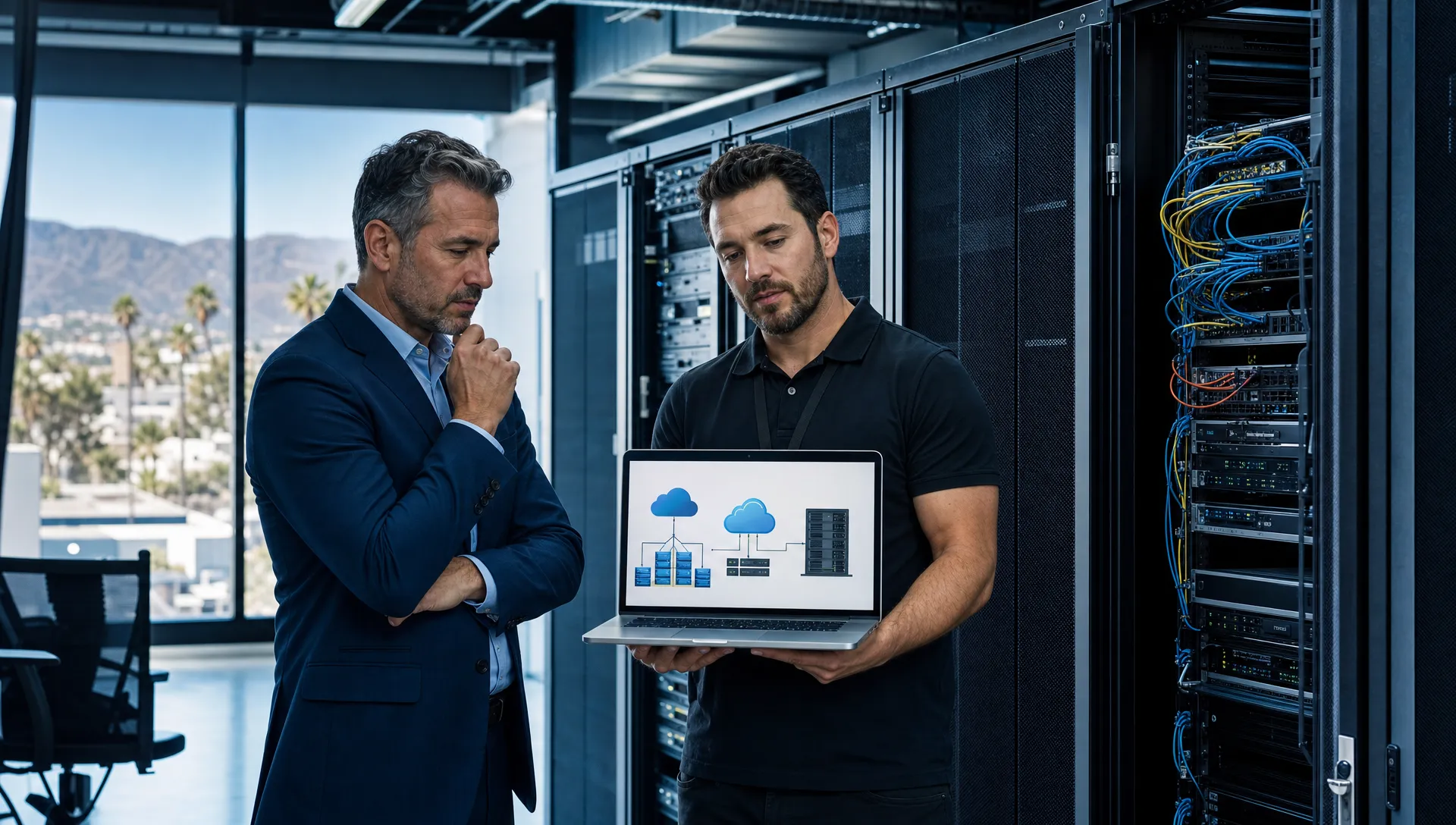
Choosing between cloud and on premise servers is one of those IT decisions that looks technical on the surface, but it quickly becomes a business decision. It affects how employees access files, how quickly you recover from downtime, how predictable your costs are, and how well your company can adapt as it grows.
For small businesses in Southern California, from Chino and Rancho Cucamonga to Orange County, Riverside, Brea, Fullerton, Ontario, Los Angeles County, and the Inland Empire, the right answer is not always the same. A law firm, accounting office, manufacturer, nonprofit, and warehouse operation may all have different needs.
The goal is not to chase the newest technology. The goal is to choose the server strategy that supports your people, protects your data, and keeps the business moving.
What cloud and on premise servers actually mean
A cloud server is a server that runs in a professional data center and is accessed over the internet. Your applications, files, databases, or virtual desktops may live there instead of on equipment inside your office. Microsoft 365, cloud accounting platforms, file sharing systems, and many line of business applications follow this model.
An on premise server is a physical server located in your office, warehouse, plant, or facility. It may sit in a server room, network closet, or secured rack. Your business owns or leases the equipment, and either your internal team or your IT partner manages the hardware, updates, backups, security, and user access.
A hybrid setup combines both. For example, a business may use Microsoft 365 for email and collaboration, cloud backup for recovery, and a local server for a specialized accounting, legal, or manufacturing application.
The best choice depends on what your business runs, how your team works, and what level of risk you can tolerate.
Why this decision matters more now
In 2026, small businesses are under more pressure to make technology decisions carefully. Cyber insurance requirements are stricter. Remote and flexible work are common. Cloud subscriptions are everywhere. Hardware costs, software licensing, and labor costs continue to change.
At the same time, local disruptions still matter. A power outage in San Bernardino County, an internet issue in City of Industry, a wildfire risk near foothill communities, or a facility move in Corona can all expose weaknesses in your IT plan.
A server decision should account for both daily operations and worst case scenarios. If your staff cannot access customer records, production files, case documents, payroll, or accounting data, the business impact is immediate.
The case for cloud servers
Cloud servers can be a strong fit for small businesses that want flexibility and simpler access across locations. If your employees work from home, visit client sites, travel between offices, or operate across multiple Southern California locations, cloud systems can make access easier.
Cloud can also reduce the need to purchase expensive server hardware up front. Instead of buying a physical server, warranty coverage, backup equipment, and related infrastructure, many businesses pay monthly for cloud services. This can make budgeting more predictable, especially for companies that prefer operating expenses over large capital purchases.
Another benefit is scalability. If your company adds users, opens a new office, or needs more storage, cloud services can often be adjusted faster than buying and installing new equipment.
Cloud also helps with resilience when it is planned correctly. If a local office is unavailable due to a power problem, fire, flood, or facility issue, employees may still be able to access cloud systems from another secure location.
However, cloud is not automatic simplicity. Your business still needs proper security settings, access controls, backup planning, vendor management, and cost oversight. Cloud services are powerful, but they must be configured and monitored carefully.
The case for on premise servers
On premise servers still make sense for many small businesses. Some specialized applications are designed to run locally. Certain manufacturing systems, older accounting programs, database applications, or industry specific tools may perform better or only function properly on a local server.
Local servers can also provide fast access to large files when most employees work in the same building. This can matter for companies handling large design files, scanned documents, production data, or shared application databases.
Control is another reason some businesses keep servers on site. They know where the hardware is, who has physical access, and how the system is structured. For organizations with specific operational requirements, this can be important.
The tradeoff is responsibility. A local server requires hardware maintenance, software patching, security protection, backup testing, power protection, cooling, monitoring, and eventual replacement. If the server is several years old and no one is actively managing it, the risk rises quickly.
For many small businesses, the issue is not that on premise servers are bad. The issue is that they are often neglected until something fails.
Cost comparison beyond the monthly bill
The cloud option may look less expensive at first because there is no large server purchase. The on premise option may look less expensive because there is no major monthly cloud bill. Both views can be incomplete.
For on premise servers, consider hardware, warranties, software licensing, backup systems, battery backup, firewall capacity, power, cooling, support labor, security tools, and replacement every few years. You should also account for the cost of downtime if the server fails.
For cloud servers, consider monthly subscriptions, storage growth, backup costs, security licensing, migration labor, internet dependency, user training, administration, and the possibility that costs increase as your team grows.
The better question is not which one has the lowest visible price. The better question is which one gives your business the best combination of reliability, security, performance, and total cost over time.
Security differences business owners should understand
Cloud is not automatically safer, and on premise is not automatically riskier. Security depends on how the environment is designed, configured, monitored, and maintained.
With cloud systems, the cloud provider protects the underlying platform, but your business is still responsible for user access, passwords, permissions, devices, email security, backups, and employee behavior. A compromised account can still lead to data theft, fraud, or ransomware exposure.
For cloud applications like Microsoft 365, one of the most important protections is multi factor authentication. It helps prevent criminals from accessing accounts even if a password is stolen.
With on premise servers, your business must keep the server patched, protect it from unauthorized access, secure the network, maintain antivirus or endpoint protection, limit admin privileges, and make sure backups are isolated from ransomware.
Physical security also matters. A server in an unlocked closet, exposed to heat, dust, water, or accidental unplugging, is a business risk. This is especially common in smaller offices where IT equipment has grown over time without a formal plan.
Security is not just a technology setting. It is a management process.
Backup and disaster recovery are separate decisions
One common mistake is assuming that cloud storage is the same as backup. It is not.
If an employee deletes files, ransomware encrypts synced data, or a user account is removed incorrectly, those problems may carry into cloud systems. Retention settings can help, but they are not a complete recovery strategy by themselves.
A practical backup plan should answer simple business questions. How much data can we afford to lose? How long can we operate without access? Who is responsible for recovery? Has anyone tested the backup recently?
This matters in both cloud and on premise environments. A local server needs reliable backups outside the server itself. Cloud data also needs appropriate retention and recovery planning. A real example is explained in VM Tech’s article on restoring a deleted OneDrive, which shows why cloud data still deserves careful protection.
For Southern California businesses, disaster recovery should also consider local events. Power issues, earthquakes, fires, construction related internet cuts, and facility access problems can all interrupt operations. Your server decision should include a recovery plan before something goes wrong.
Performance and internet dependency
Cloud systems depend heavily on internet quality. If your internet connection is slow, unstable, or has no backup option, employees may feel every outage immediately. This is especially important for businesses in industrial parks, older buildings, warehouses, and multi tenant office spaces.
A cloud strategy may require stronger internet service, a backup internet connection, better Wi Fi, and modern networking equipment. Without that foundation, users may blame the cloud when the real issue is connectivity.
On premise servers can perform very well for employees inside the office, especially with large local files or database heavy applications. But remote access can become more complicated. It may require secure remote access tools, careful firewall configuration, and stronger monitoring.
The right choice depends on how your team works. If nearly everyone is in one facility, a local server may still provide excellent performance. If employees are spread across offices, home workspaces, client locations, and job sites, cloud may provide a better user experience.
Hybrid is often the practical answer
Many small businesses do not need to choose everything cloud or everything local. A hybrid approach can be the most practical path.
A manufacturer in Ontario might keep a local server for production software while using cloud email, cloud backup, and cloud file sharing for office staff. A law firm in Fullerton might move document collaboration and email to the cloud while keeping a local application server until its case management system is modernized. A nonprofit in Riverside might use cloud tools for board access and remote work while maintaining a local network for office operations.
Hybrid environments work best when they are intentional. Problems arise when businesses add cloud tools one at a time without reviewing security, permissions, backup, or licensing. That creates confusion and gaps.
A good hybrid plan defines which systems belong in the cloud, which systems stay local, how users access each system, how data is backed up, and who manages it.
A simple decision framework for small business owners
Use these questions before making a server decision.
- Which applications keep the business running? Identify your accounting, payroll, email, file sharing, customer records, production systems, legal tools, and other essential applications.
- Where do employees need access? Consider whether your team works mostly in one office, across several locations, remotely, in the field, or in a mix of settings.
- How much downtime can you tolerate? Be honest about the cost of a half day, full day, or several days without access to core systems.
- Who will manage security and updates? Cloud and local servers both require ongoing management. If no one owns that responsibility, risk increases.
- What are your recovery goals? Decide how quickly systems must be restored and how much data loss is acceptable.
- What is the three year and five year cost? Compare hardware, subscriptions, support, security, backup, internet, migration, and future growth.
- Are there compliance or insurance expectations? Many businesses now need stronger access controls, documented backup practices, and security policies to satisfy contracts, audits, or insurance reviews.
This framework keeps the conversation focused on business outcomes instead of technical preferences.
Service and support should influence the decision
The best server design will still disappoint you if support is slow, unclear, or reactive. When systems affect payroll, production, client service, or billing, response time matters.
That principle is not unique to technology. Homeowners choose trusted residential specialists such as Sun City Garage Door when a garage door problem affects safety and daily access. Businesses should expect the same practical urgency and clear communication from the team responsible for servers, backups, security, and user access.
Before moving to the cloud, replacing a server, or building a hybrid environment, ask how support will work. Who handles issues? How are requests prioritized? Are backups tested? Is documentation maintained? What happens if your main contact is unavailable?
If your business has been relying on emergency repairs instead of proactive planning, VM Tech’s guide on why your business needs a professional IT services provider can help you think through the value of structured IT support.
How VM Tech approaches cloud vs on premise decisions
At VM Tech, we do not believe every business should be forced into the same model. A good recommendation starts with understanding how the business operates.
For small and medium sized organizations across Southern California, we look at current applications, employee workflows, security risks, backup maturity, internet reliability, hardware age, licensing, compliance needs, and growth plans. From there, we help determine whether cloud, on premise, or hybrid infrastructure makes the most sense.
We also focus on long term maintainability. A server plan should not only work on installation day. It should be documented, secured, backed up, monitored, and reviewed as your company changes.
VM Tech provides managed IT services, cybersecurity, Microsoft 365 support, cloud solutions, server and network management, backup and disaster recovery, IT consulting, and technology project support. Our team is based entirely in the United States, with no outsourced help desk or overseas support, so clients know who they are working with when they need help.
Frequently Asked Questions
Is cloud cheaper than an on premise server? Sometimes, but not always. Cloud often reduces up front hardware costs, while on premise servers may reduce monthly subscription costs. The best comparison includes licensing, support, backup, security, internet, migration, and downtime risk.
Is cloud more secure for small businesses? Cloud can be very secure when configured properly, but it still requires strong passwords, multi factor authentication, backup planning, access reviews, and device security. Poorly managed cloud systems can still be compromised.
Do we still need backups if our files are in the cloud? Yes. Cloud platforms may include retention features, but they are not a complete backup strategy for every risk. Deletions, account mistakes, ransomware, and permission issues can still cause data loss.
When does an on premise server still make sense? A local server may make sense when a specialized application requires it, when large files are used mostly inside one location, when internet service is unreliable, or when a business has specific operational requirements.
Can a small business use both cloud and on premise servers? Yes. Many businesses use a hybrid approach. This can work well when it is planned carefully, with clear security, backup, access, and support responsibilities.
How often should we review our server strategy? Review it at least once a year, and always before a major office move, software change, cyber insurance renewal, hardware replacement, or expansion into a new location.
Need help choosing the right server strategy?
If your business in Chino, Chino Hills, Rancho Cucamonga, Corona, San Dimas, City of Industry, Brea, Fullerton, Ontario, Riverside, Los Angeles County, Orange County, San Bernardino County, or the surrounding Southern California region is weighing cloud vs on premise servers, VM Tech can help you make the decision with clarity.
The right answer should fit your applications, people, budget, security needs, and recovery goals. A thoughtful plan now can reduce downtime, improve protection, and give your business a stronger technology foundation for the years ahead.